QR Codes for Inventory and Asset Management: Complete Guide
 By Mosh Bryce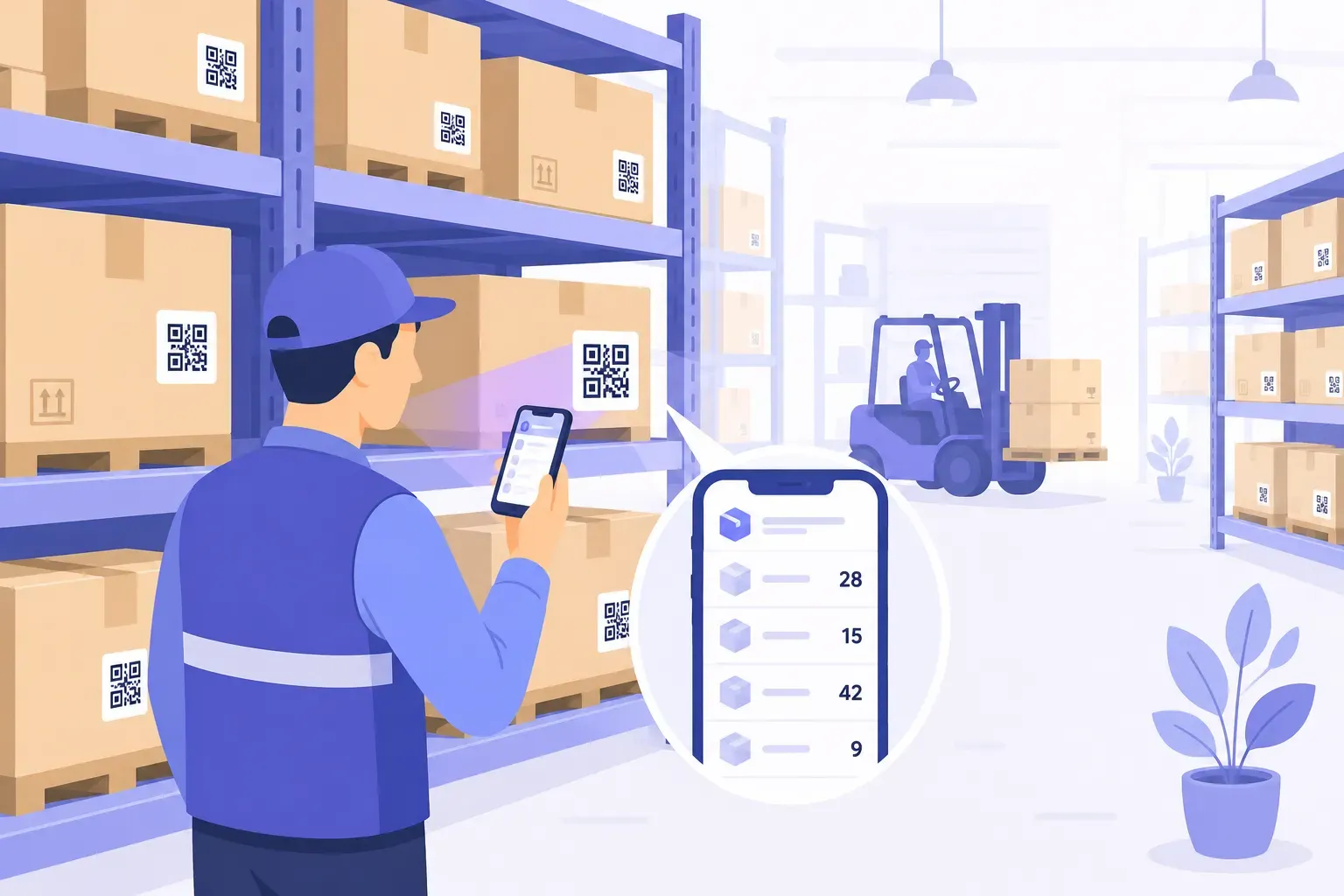
The spreadsheet says 14 laptops. The storage closet says 11, one of which is a charger. If that audit scene feels familiar, the fix is cheaper than you’d guess: a QR code for inventory management on every item, linking each physical object to its live database record. Scan the label, see the record, update it on the spot — no clipboard, no “I’ll log it later,” no dedicated scanner hardware.
What makes QR the right tool for tracking is the reader you’ve already deployed: every smartphone in your building. This guide compares QR against barcodes and RFID, then walks through the full build — ID schemes, spreadsheet backends, durable labels, warehouse locations — from a 30-item office to a stockroom with thousands of SKUs.
QR vs Barcode vs RFID for Inventory
Three technologies compete for the job of connecting things to records, and each wins somewhere. The honest comparison:
| Factor | QR code | 1D barcode | RFID |
|---|---|---|---|
| Tag cost | Under $0.05 printed on label stock | Under $0.05 | ~$0.10–1.50+ per passive tag |
| Reader cost | $0 — any smartphone | Phone app or laser scanner | Dedicated readers, hundreds to thousands of dollars |
| Data capacity | Up to 4,296 alphanumeric characters | ~20–50 characters practical | 96-bit EPC typical; some tags store a few KB |
| Read style | Camera, any angle, needs line of sight | Laser or camera, aligned, line of sight | Radio — no line of sight, bulk reads |
| Damage tolerance | Level H restores up to ~30% of codewords | Low — a scratch across the bars kills it | High — chip inside the tag |
| Best at | Asset tags, locations, smartphone workflows | Legacy POS and supplier compatibility | Reading 500 tagged items in one pass |
RFID’s superpower is bulk: a reader sweeps a pallet and captures every tag in seconds, no aiming required. If you run a distribution center moving thousands of cartons daily, that’s worth the hardware investment. Everyone below that scale is usually overpaying — for a 200-asset office or a small warehouse, RFID’s reader-plus-tags cost buys nothing that a phone and printed labels don’t already do.
Against the 1D barcode, QR wins on three practical counts: it holds a full URL instead of a short number, it scans from any angle with a phone camera, and its error correction survives warehouse-grade abuse. The deeper technical comparison lives in our guide to QR codes vs barcodes — and when a supplier system still demands stripes, a free Code 128 generator lets you print both formats side by side.
How QR Code Inventory Tracking Works
The architecture fits in one sentence: every item gets a unique ID, every ID gets a URL, every URL gets a QR code, and the code gets stuck to the thing. The label is just a pointer — all the intelligence lives in whatever the URL opens.
Concretely, asset AST-0114 (a projector) wears a code encoding something like yourcompany.com/asset/AST-0114 or a direct link to its database row. Scanning it opens the record: what it is, where it lives, who has it, when it was last serviced. Because the code is a pointer rather than the data itself, the record can change forever — location updates, repair notes, new owner — while the printed label never does.
Two design rules keep the system healthy for years:
- IDs are permanent and meaningless.
AST-0114never gets reused and encodes no logic (no department prefixes that break when teams reorganize). Sequential numbers with a category prefix —AST-,LOC-,SKU-— are enough. - URLs live on a domain you control. If the code points to
yourcompany.com/asset/AST-0114, you can swap the backend — spreadsheet today, asset platform next year — by changing where that URL routes. Codes pointing directly at a vendor’s app URL die with the vendor.
Setting Up a QR Code Inventory Management System
The full build, in order — a 50-item operation can finish in an afternoon:
- Build the master list. One row per item: ID, name, category, location, condition, purchase date, serial number. This list is the system; everything else is plumbing.
- Pick the data home. Google Sheets or Airtable for small operations; dedicated inventory or asset software when you need permissions and audit trails (more on that threshold below).
- Create one URL per item. In the spreadsheet version, each item’s URL is a link to its row or record. A stronger variant: link to a pre-filled Google Form (“Update AST-0114”) so scans log changes as structured entries with timestamps instead of hand-edits.
- Generate the codes in bulk. Typing 300 URLs into a generator one at a time is how projects stall. Export your list as a CSV and batch-produce the codes — our walkthrough of bulk QR code generation from CSV covers the exact workflow, and the free generator handles one-off additions afterward.
- Print for the environment. Plain paper labels die in weeks anywhere near a loading dock. Use laminated polyester or vinyl label stock, check that your label printer renders each module with several dots (thermal printers vary, so print a test label), and don’t go smaller than about 2 × 2 cm — the sizing rules in our guides to printing QR codes and the QR code size guide apply doubly in dim storerooms.
- Tag and verify in one pass. Stick each label, scan it immediately, confirm the right record opens. A mislabeled asset is worse than an unlabeled one.
- Make scanning the habit. The system earns trust through cycle counts: pick one shelf or category weekly, scan everything on it, and reconcile. Ten minutes a week keeps the data matching reality.
Tag every asset in your operation — create free inventory QR codes, no expiry, no account. — Create Your Free QR Code
Asset Tagging and Equipment Tracking
Fixed assets — the things you own rather than sell — are where QR tagging pays back fastest, because these items move, break, and disappear on multi-year timescales that memory can’t cover.
IT assets are the classic case. A code on every laptop, monitor, and projector links to a record with serial number, warranty end date, assigned user, and check-out history. Employee offboarding becomes a scan-and-verify list instead of an email chase, and the annual audit goes from days of desk visits to a walking tour with a phone.
Equipment and maintenance extend the same pattern to the physical plant. A code on a forklift, HVAC unit, or coffee machine opens its service log and a report-a-fault form; a scan documents each inspection with a timestamp. Facilities teams get an ordered maintenance history exactly where the maintenance happens — a workflow that fits fleets, kitchens, gyms, and labs equally well.
Label durability is the make-or-break detail for equipment, and the options ladder by environment:
- Laminated polyester labels — offices and indoor equipment; years of life for cents per label.
- UV-resistant vinyl — outdoor gear, vehicles, anything sun-exposed.
- Epoxy-dome or metal-mounted tags — workshop tools, machinery with chemical or abrasion exposure.
- Anodized aluminum plates — harsh environments; photo-anodized QR plates survive outdoors for a decade or more.
High error correction is your friend here: generate asset tags at level H, which can restore up to about 30% of the code’s codewords, so a tag keeps scanning through scratches, paint, and wear. (That’s a share of the encoded data, not of the label’s area, and damage to the corner squares can still defeat it.)
Warehouse and Stockroom Management
Inventory tracking has a second half that beginners skip: labeling places, not just things. A warehouse QR system puts a location code on every zone, rack, shelf, and bin — LOC-A3-S2 for aisle A3, shelf 2 — and the stock database records items against locations.
That one addition upgrades every workflow in the room:
- Receiving: scan the location, log what’s shelved there. No more “it’s somewhere in the back.”
- Picking: the pick list shows the location code; the shelf scan confirms the right bin before anything gets pulled.
- Cycle counts: scan a shelf label, see exactly what the system believes is there, count against it. Discrepancies surface in minutes, per shelf, instead of annually in a painful full count.
- Reordering: a bin-level code can open a pre-filled “reorder this” form, turning empty-bin moments into purchase requests on the spot.
The same pattern scales down gracefully. A clinic’s supply closet, a restaurant’s dry storage, a school’s equipment room — each is a small warehouse, and five shelf labels plus a spreadsheet deliver most of the benefit. Phone-based scanning is the equalizer: dedicated warehouse handhelds often run $1,000+ per unit, while the smartphone workflow adds devices for free as the team grows.
Before committing a whole rack layout to print, scan-test your label design at real shelf distances and lighting — the checklist in our guide to testing QR codes before printing prevents the classic too-small-for-the-top-shelf mistake.
Choosing the Right Tools
The tooling decision is really a scale decision, and the honest advice is to start smaller than you think:
The spreadsheet stack (free). QR codes + Google Sheets + Google Forms covers a surprising range — up to a few hundred items with a handful of users. You get live records, timestamped updates, and shareable access at zero cost. Its limits are structural: no per-user permissions, no true audit trail, and honor-system data entry.
Dedicated inventory and asset platforms (paid). Graduate when you hit concrete triggers: multiple teams needing different permissions, compliance requirements for audit logs, low-stock alerts and reorder automation, barcode-plus-QR hybrid workflows, or integration with purchasing and accounting. Most platforms either generate their own code labels or accept your existing IDs — which is exactly why rule two above (URLs on your own domain) matters. Own the pointer and migration is a redirect change; let the vendor own it and migration means relabeling everything.
Whichever backend you run, the codes themselves cost nothing. QRocket generates unlimited static codes with SVG export for crisp label printing, entirely in the browser — your asset URLs never touch a server, which IT departments tend to appreciate.
Count Things Once, Scan Forever
An inventory system fails the day updating it becomes harder than not updating it — that’s how every spreadsheet drifts three laptops from the truth. QR labels attack exactly that failure: they collapse “find the record” to one camera gesture, which makes the update cheap enough to actually happen. Start with your single most-lost category — cables, tools, chargers — tag it this week, and run one ten-minute cycle count. When the closet and the spreadsheet finally agree, you’ll tag everything else on your own initiative. The labels are the easy part: generate them free, print them tough, and let the phones do the counting.
Frequently Asked Questions
Are QR codes better than barcodes for inventory?
For smartphone-based tracking, yes: QR codes hold full URLs instead of short numbers, scan from any angle, and survive substantial label damage through error correction (up to about 30% of codewords at level H). Traditional barcodes still make sense when supplier or POS systems require them — and many operations run both side by side.
Can I track inventory with QR codes and a spreadsheet?
Yes — it’s the recommended starting point. Give each item a unique ID and a URL linking to its Google Sheets row or a pre-filled update form, then encode those URLs as QR codes. The result is a live, timestamped tracking system that costs nothing and handles a few hundred items comfortably.
How durable are QR code asset tags?
Matched to the environment, they outlast the assets. Laminated polyester handles years of indoor use; UV-resistant vinyl covers outdoor and vehicle mounting; anodized aluminum plates survive harsh conditions for a decade or more. Generating tags at error correction level H keeps them scannable even after visible wear.
Do QR inventory codes work without internet?
The scan itself is offline — the camera decodes the pattern locally. Opening the linked record needs a connection, so warehouses with dead zones should confirm WiFi coverage at the shelves. Codes encoding plain text (an ID and description) scan fully offline, but give up the live-database benefits.
Create a free QR code with custom colors, your logo and print-ready downloads — no sign-up.