QR Code Ideas for Resumes and Portfolio Links
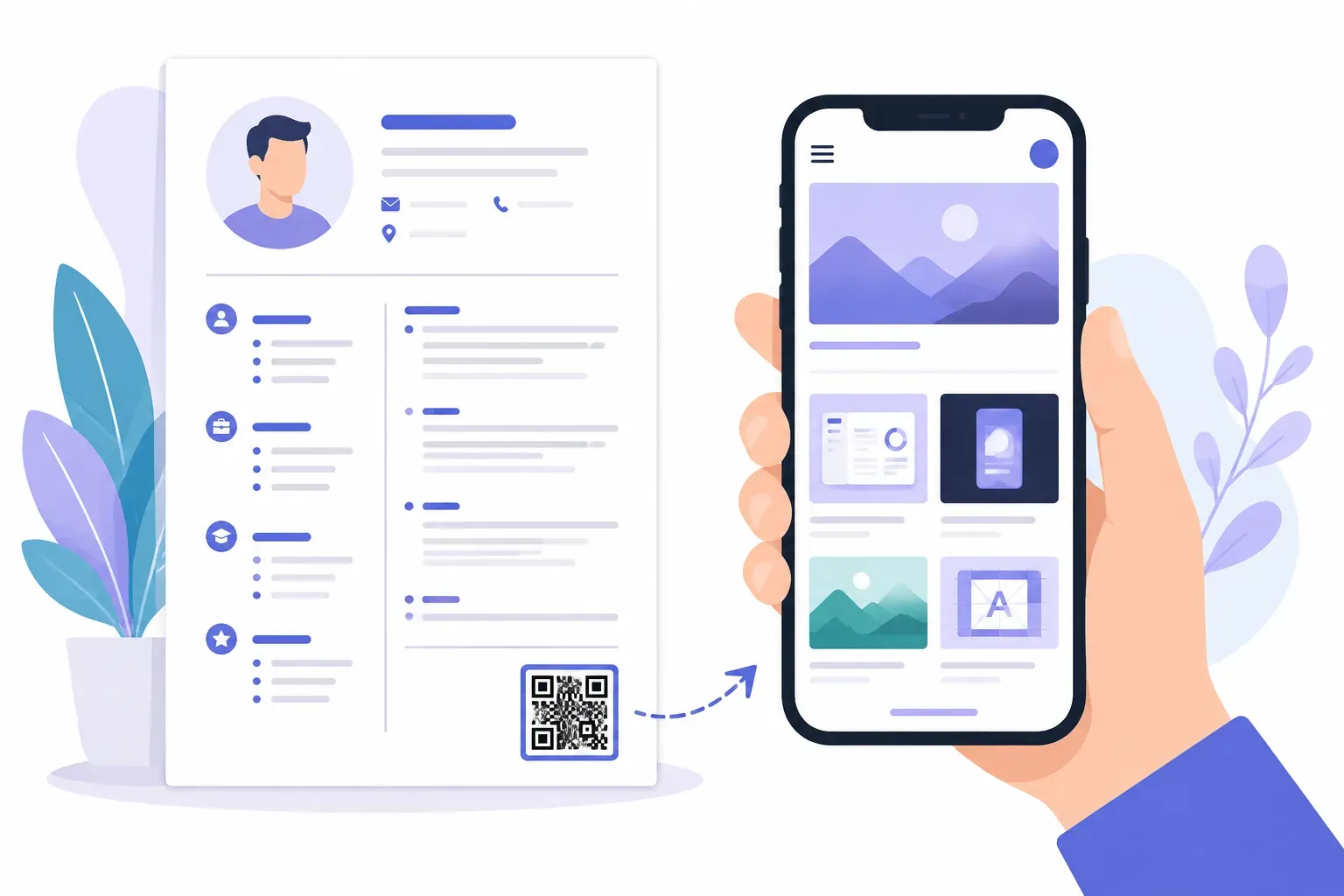
A recruiter at a career fair is holding your printed resume. Your best work — the rebranded app, the campaign that doubled signups — lives online, three typed URLs away. Most recruiters won’t type them. A QR code on a resume closes that gap: one scan and your portfolio is open on their phone while your paper is still in their hand.
Done well, it’s a quiet professional touch. Done badly, it’s a giant pixelated square linking to a dead page. This guide covers when a resume QR code actually helps, what to link, where to place it, and the design rules that keep it professional.
When a Resume QR Code Helps — and When to Skip It
A QR code earns its space when two things are true: your resume will exist on paper, and your strongest evidence lives online.
That combination shows up most often in a few situations:
- Design, creative, and marketing roles. If the work is visual — portfolios, campaigns, reels — a printed resume can only describe it. The code lets a reviewer see it in seconds.
- Career fairs and networking events. Recruiters collect resumes by the dozen here. A scannable link to your portfolio is the one thing that survives the stack.
- Interview leave-behinds. A one-page summary or portfolio card handed over at the end of an interview keeps working after you leave — if it gives the interviewer somewhere to go.
- Developers and writers with live work. A GitHub profile, a portfolio site, or a clip archive makes a stronger case in the original than in a bullet point.
And when to skip it: ATS-only digital submissions. If your resume goes straight into an applicant tracking system and will only ever be read on a screen, a plain hyperlink does the same job — the parsing software ignores the code, and a recruiter reading a PDF can simply click.
What Your Resume QR Code Should Link To
The code is the easy part. The destination decides whether the scan helps or hurts you. Strong options, roughly in order of impact:
A curated portfolio page. Not your whole site — a single page with your three to five best pieces, each with one line of context. Curation signals judgment, which is itself a hireable skill.
Your single best case study. For senior roles, one deep project story — the problem, what you did, what changed — often beats a gallery. If you have a standout, link straight to it.
Your LinkedIn profile. The safe default for non-creative roles. Recruiters trust the format, and a profile holds recommendations a resume can’t — just complete it first.
A personal site. Works if the homepage is built for a first-time visitor — clear headline, clear work, clear contact.
A short video introduction. A 60–90 second clip suits roles where presence matters: sales, teaching, customer-facing positions.
A booking or contact page. “Scan to schedule a call” removes every step between interest and a conversation — useful for freelancers handing out resumes as marketing.
All of these are ordinary links, so a standard URL code handles any of them — our guide to creating a QR code for a URL covers the mechanics. One exception: on a pure networking card, a vCard code that saves your name, phone, and email straight to contacts can beat a link. Our vCard QR code guide explains when to choose it.
Whatever you pick, link to one thing. A code should make a promise its label can state in five words.
Where to Place a QR Code on a Resume or Portfolio
Placement follows one rule: the code supports the resume, it doesn’t compete with it.
- Bottom corner of the resume, near your contact block. The natural home — it reads as part of your contact details, which is exactly what it is.
- Back of a portfolio leave-behind. The front sells; the back says “See the full portfolio” with the code, giving the piece a second life on a desk.
- A matching business card. At events where a full resume is too much, a card with a small code carries your entire portfolio in a wallet. The layout rules in our guide to QR codes on business cards apply directly.
Always pair the code with a short label — “Scan to view my portfolio.” An unlabeled square is a mystery, and nobody scans mysteries during a seven-second resume skim.
If you build your resume in Word or Google Docs, inserting the code takes a minute: download it, place it as an image, and anchor it near your contact details. Our walkthrough on adding a QR code in Word and Google Docs covers sizing and text wrapping.
Link your resume to your portfolio in one scan — free, no sign-up. — Create Your Free QR Code
How to Keep a QR Code on a Resume Professional
A resume is a formal document, so the code should be the most restrained element on the page:
- Keep it small — about 2 cm (0.8 in) square. That’s comfortably scannable at arm’s length and visually equivalent to a line of contact text. Our QR code size guide has the distance math for larger formats.
- Use high contrast. Dark code, light background — ideally plain black on white to match your text. A pale gray code may look elegant and scan never.
- Restrain the color. One brand accent at most, and only if your resume already uses it. Save gradients for other projects.
- Skip novelty shapes. Rounded modules are fine; hearts, stars, and heavily stylized patterns read as decoration, not information. In QRocket’s free generator, the scannability meter shows live whether a styling choice is costing reliability.
- Leave breathing room. Keep a white margin — the quiet zone — around the code, clear of borders and text.
- Download as SVG for print. Vector output stays crisp on any printer. QRocket generates the code in your browser with no account, and the code itself never expires.
Mistakes Job Seekers Should Avoid
The same handful of errors undoes most resume QR codes:
Linking to a cluttered homepage. If the scan lands on a site with a blog, a shop, and 40 unfiltered projects, you’ve handed the recruiter homework. Link to a page built for exactly this visit.
Linking to an uncurated social profile. An Instagram grid that mixes client work with brunch photos is not a portfolio. Curate a dedicated account or link somewhere you fully control.
Letting the code dominate the page. A 5 cm square in the header shouts gimmick. The resume is the product; the code is a footnote.
A broken or dead link. The nightmare scenario is real: an interviewer scans your code mid-conversation and gets a 404 because a portfolio host shut down. Two defenses. First, scan the printed version with both an iPhone and an Android before any resume leaves the house — our pre-print testing checklist takes five minutes. Second, pick a destination URL you expect to keep stable, like a domain you own or your LinkedIn profile. A static code encodes its link permanently and can’t be re-pointed later, so the URL you print is the URL you live with.
Forgetting the PDF version. If the same file gets emailed, add the plain hyperlink near the code so a click works as well as a scan.
A Small Square That Does Real Work
A QR code on a resume won’t get you hired — the work behind it does that. What the code changes is friction: it turns “I should look this candidate up later” into “I’m looking at their best project right now, while their resume is in my hand.” Curate one strong destination, place the code quietly by your contact details, keep it small and dark, test it before printing — then build it in QRocket’s free QR code generator. No account, no expiry, and your portfolio is one scan away from every resume you hand out.
Frequently Asked Questions
Should I put a QR code on my resume?
Yes, if your resume will be printed and your best work lives online — portfolios, case studies, GitHub, or LinkedIn. Skip it for ATS-only digital applications, where a plain hyperlink does the same job. It helps most at career fairs and interviews, where paper changes hands.
What should a resume QR code link to?
A curated portfolio page, a single strong case study, your LinkedIn profile, a short video introduction, or a booking page. Pick one destination and make it a page built for a first-time visitor. Avoid a cluttered homepage or an unfiltered social feed.
Where should I place a QR code on my resume?
In a bottom corner near your contact information, sized around 2 cm square, with a short label like “Scan to view my portfolio.” It should read as part of your contact block, not a design feature. On leave-behinds, the back is the natural spot.
Can a QR code make a resume look unprofessional?
Yes, if it’s oversized, uses novelty shapes or loud colors, or links to irrelevant or messy content. Keep it small, high-contrast, and plainly styled, and make sure the destination is polished. A restrained code beside your contact details reads as competence, not gimmickry.
Do resume QR codes expire?
No. A static QR code encodes its link permanently and works forever at no cost. It can’t be re-pointed later, though, so link to a URL you expect to keep stable — a domain you own or your LinkedIn profile — and test the printed code on two phones before submitting.
Create a free QR code with custom colors, your logo and print-ready downloads — no sign-up.