QR Codes for Events: Registration, Check-In, and Engagement
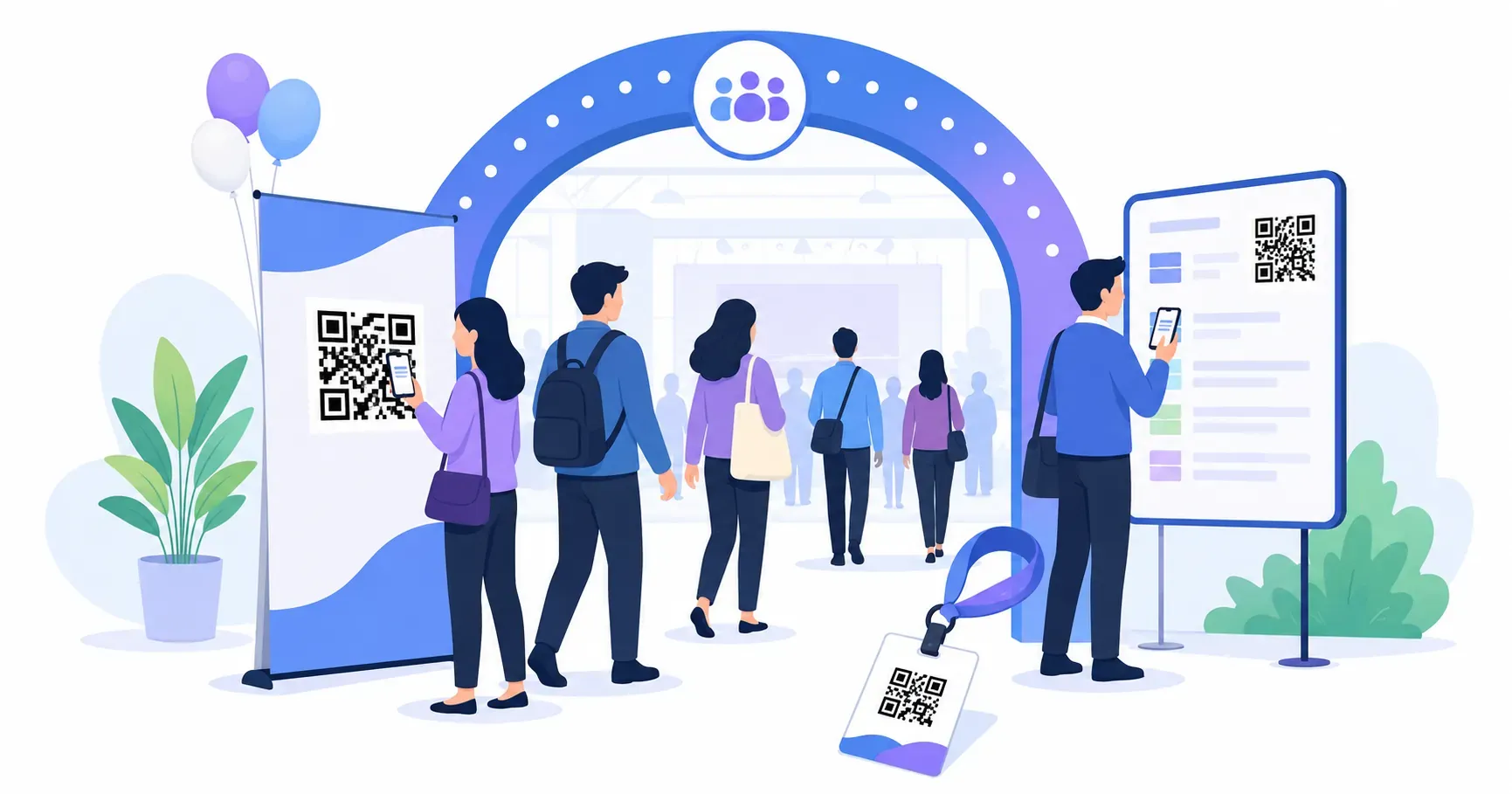
A 200-person conference used to mean a folding table stacked with printed badges, a clipboard sign-in sheet, and a paper program half the room left on their chairs. Swap those for QR codes and the same event runs leaner at every stage. QR codes for events carry attendees from the first “save the date” to the post-event survey, each scan replacing a form to fill, a line to stand in, or a handout to lose.
This guide follows an event through its whole lifecycle — before, at the door, during, and after — and shows which type of code fits each moment. You’ll also meet the one underused code, the calendar invite, that quietly cuts your no-show rate. Every code here is free to make.
Why QR Codes for Events Beat Paper at Every Step
Paper has a cost that never shows up on the invoice: friction. A printed registration form has to be typed up later. A paper agenda is obsolete the moment a session changes rooms. A stack of feedback cards mostly ends up in the bin. Every one of those is a place attendees drop off — and a place organizers lose data.
A code closes each gap. Registration flows straight into your signup system, the agenda updates the instant you change the linked page, and a feedback survey reaches phones people already have in hand. Because a single code costs nothing to generate, you can put a purpose-built one at every touchpoint rather than rationing them. The rest of this guide is organized the way an event actually unfolds, so you can match a code to each phase.
Before the Event: Registration and Calendar Codes
Set up two codes well before doors open — one to fill seats, one to keep them filled.
Registration Links on Posters and Invites
Print a URL code pointing to your signup form on every pre-event surface: lobby posters, mailed invitations, email footers, and partner newsletters. A prospective attendee scans, lands on the form, and registers in the time it would take to copy a link by hand. This is the workhorse qr code for event registration — the same destination, reachable from anywhere the code appears.
Here’s the part most planners skip: give each placement its own tracked code. Tag the poster code, the email code, and the partner-newsletter code separately, then learn how to track QR code scans so you can see which channel actually fills seats. For a 200-person conference, knowing that the lobby poster drove 12 signups while the email drove 140 changes where you spend next year’s budget.
The “Add to Calendar” Event QR Code
This is the code almost nobody uses, and it’s the one that reduces no-shows. An event QR code built on the vCalendar format — the same RFC 5545 iCalendar standard your calendar app already speaks — adds the event’s title, date, start and end time, and location straight to the attendee’s calendar in a single scan. No typing, no “I meant to add it and forgot.”
Print it on the confirmation page, the ticket, and the reminder email. Once the event sits in someone’s calendar with an alert attached, it stops being a thing they might remember and becomes a thing their phone reminds them about. QRocket supports this event type for free, so adding it costs you one extra code and nothing else.
At the Door: QR Code Check-In and Badges
Let me be honest about what QR check-in can and can’t do on its own.
A true ticketed check-in — where each attendee holds a unique code that a scanner validates against the guest list and marks “arrived” — needs an event platform’s own ticketing system to issue and verify those per-person codes. A free generator makes static codes, not unique tickets, so that specific job belongs to your registration platform.
What a free code does brilliantly is everything around that moment. A large qr code check-in banner can point to a self-check-in form where walk-ins enter their name and get waved through. A code on the welcome sign can open the day’s schedule so people entertain themselves in line. And badge codes — a small code on each lanyard linking to that attendee’s public profile or saved sessions — turn networking into a scan instead of a fumble for business cards. For a busy entrance, these self-serve codes are what actually thin the queue.
During the Event: Schedules, WiFi, and Live Feedback
Once people are inside, codes replace the printed program and the “what’s the WiFi password?” chorus.
Schedule and session codes. Put a conference QR code linking to the live agenda on every badge, banner, and room sign. Because it points to a hosted page, you can move a session or swap a speaker and every code updates at once — no reprinting. Speaker-bio codes at the podium and session-material codes by the door give attendees the details without a paper handout.
Venue WiFi. A WiFi code on table tents and entrance signs connects attendees to the network with one scan — no password typed wrong three times. The steps to create a WiFi QR code take under a minute, and it’s worth placing these anywhere people sit down.
Live feedback. A small “rate this session” code by each room exit captures reactions while they’re fresh, when honest impressions run highest. Route it to a short form and you’ll gather more responses than any end-of-day paper card ever did.
Event next month? Generate every touchpoint’s code free — registration to survey. — Create Your Free QR Code
After the Event: Surveys and Follow-Up
The event isn’t over when the last session ends. Put a survey code on exit banners and in the thank-you email so attendees can weigh in while the experience is fresh — a scan on the way out beats a link buried in an email three days later.
Follow-up codes carry the long tail of value. A “download the slides” code sends attendees to a hosted deck without clogging inboxes with attachments; the same approach powers a QR code for a PDF program. Add a photo-gallery code, a sponsor-offer code for partners who paid for reach, and a “save the date” code for next year printed right on this year’s closing slide. Each one keeps the conversation going after everyone has gone home.
QR Codes for Virtual and Hybrid Events
Remote attendees never touch your signage, so meet them where the physical world still reaches: the mailbox. A printed invitation or a mailer box with a “join live” code lets a remote guest scan straight into the stream from their couch — far easier than hunting for a link in an email thread.
The same trick powers the “digital goody bag.” A download code on a mailed card opens a page of resources, discount codes, and session recordings — the virtual equivalent of the swag table. For hybrid events, print both a check-in code for in-person guests and a join code for remote ones on the same materials, and let each attendee scan the one that fits. Codes turn a plain mailer into a portal.
How to Create QR Codes for Events (Free)
You don’t need a different tool for each code — you need the right type selected for each job. Head to the free QR code generator and match the type to the touchpoint: URL for registration and schedules, the event/calendar type for save-the-dates, WiFi for venue access, and a PDF or link for handouts.
A few event-specific settings matter. Size codes by scanning distance using the 10:1 rule — a code should be about one-tenth as wide as the distance people scan it from, so a banner read from 2 meters away needs a code at least 20 cm wide. Our QR code size guide has the full distance chart. Place entrance and queue codes at eye level or above, so a line of people doesn’t block them. And because QRocket puts no cap on how many codes you make, budget one per touchpoint rather than forcing a single code to do five jobs.
Map your event’s touchpoints on paper first, then spend ten minutes in QRocket’s generator turning each one into a code. Start with the calendar invite — of every code here, it’s the one that quietly thins your no-show list before the day even arrives.
Frequently Asked Questions
How do QR codes help with event check-in?
Attendees scan a code at the door to open a self-check-in form or display a ticket issued by your event platform. That replaces clipboard sign-in and manual name lookups, so lines move faster and staff spend less time searching a printed guest list for arrivals.
What is an event QR code?
An event QR code uses the vCalendar format to add an event’s title, date, time, and location straight to the scanner’s calendar app in one tap. Attendees skip the manual entry, and the automatic reminder that follows makes them far less likely to forget the date.
Can QR codes work for virtual events?
Yes. Printed invitations and mailer boxes can carry a “join live” code that opens the stream, plus download codes for a digital goody bag of resources and recordings. Remote guests get the same scan-and-go convenience that on-site attendees enjoy from event signage.
How many QR codes does one event need?
Most events use five to eight: registration, calendar invite, check-in, schedule, WiFi, feedback, and follow-up. Since each one is free to generate, there’s no reason to stretch a single code across several jobs — give every touchpoint its own purpose-built code.
How big should QR codes be on event signage?
Size by scanning distance using a roughly 10:1 ratio: the code should be about one-tenth as wide as the distance people scan it from. A banner read from 2 meters away needs a code at least 20 cm across, with a little margin for a moving crowd.
Create a free QR code with custom colors, your logo and print-ready downloads — no sign-up.