QR Codes for Real Estate: Boost Listings and Open Houses
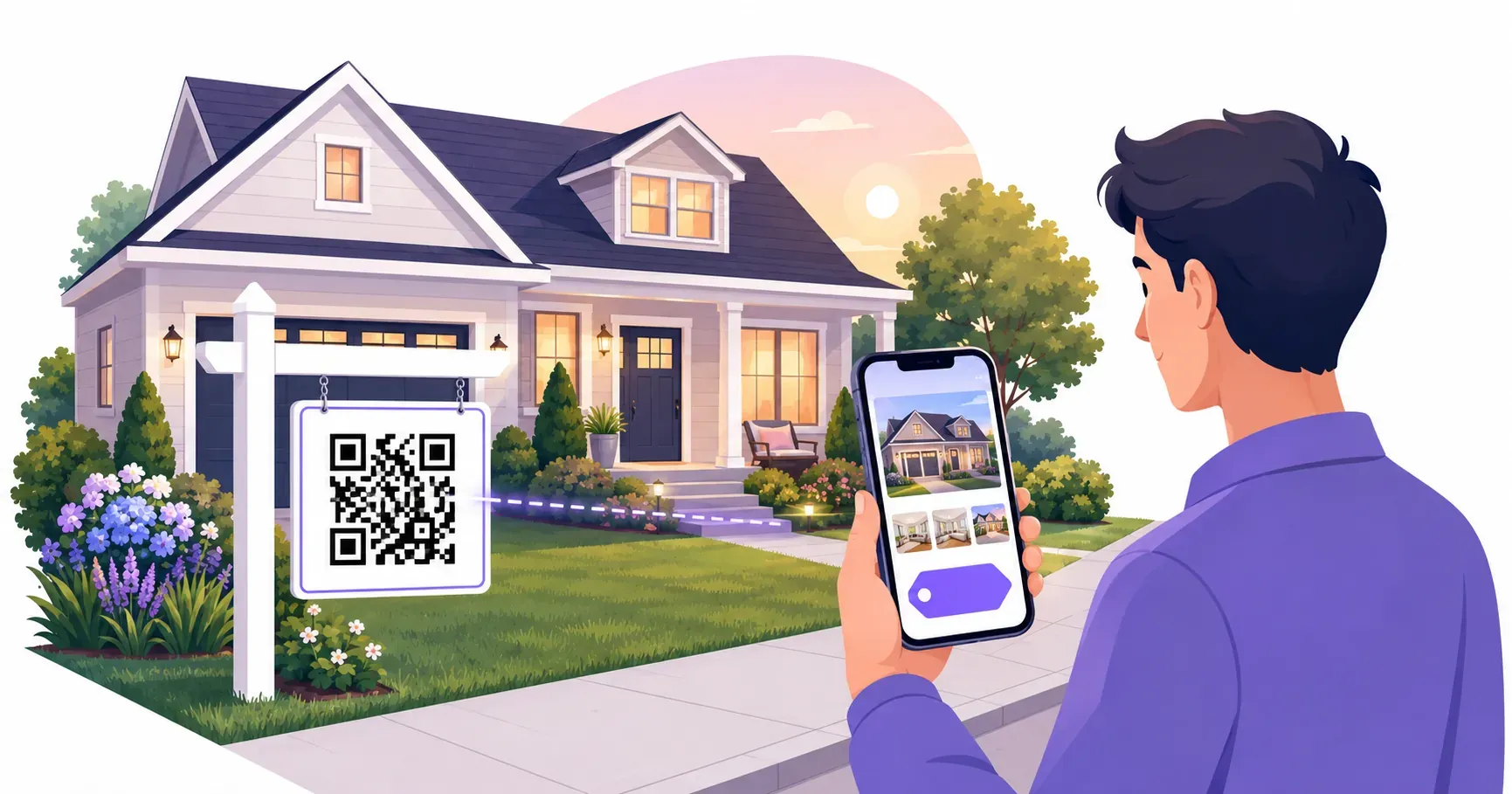
A couple slows down in front of a house, spots the yard sign, and pulls out a phone. Ten seconds later they’re scrolling through photos, checking the price, and scheduling a showing — all before they’ve stepped out of the car. That’s what QR codes for real estate make possible. Instead of forcing buyers to type a URL or call your office, a single scan connects them to everything they need. In this guide, you’ll learn eight specific ways agents use QR codes on listings, signs, and open houses — plus how to create and track them for free with QRocket.
Why QR Codes for Real Estate Work
Most property searches start online, but buying decisions happen in person — at open houses, on sidewalks, and inside lobbies. That gap between digital research and physical presence is exactly where a real estate QR code earns its value.
A printed flyer can hold maybe 200 words. A QR code linked to your listing page delivers unlimited photos, 3D tours, floor plans, school district data, and your contact form. The buyer gets more information, faster, with zero friction.
There’s a practical advantage for agents, too. Every scan generates data: when someone scanned, which property they viewed, and what device they used. Compare that to a stack of paper sign-in sheets you have to manually enter into your CRM.
Here’s what shifts when you add QR codes to your workflow:
- Yard signs become interactive — passersby access the full listing without leaving the sidewalk
- Print materials stay current — update the linked page without reprinting brochures
- Lead capture goes digital — open house sign-ins feed directly to your database
- Response time drops — buyers reach you through a vCard tap instead of searching for your number
If you already use QR codes for small business marketing, the real estate applications follow the same principles with property-specific twists.
8 Ways to Use QR Codes for Real Estate
From first showing to closing day, QR codes fit into nearly every stage of the buyer journey. Here are eight proven placements agents are using right now.
1. Yard Sign to Listing Page
The most common use: a QR code on your yard sign that links directly to the property listing. Buyers driving through neighborhoods can scan without stopping, and the listing page loads with full photo galleries, pricing, and your contact details. Print the code at least 4 inches (10 cm) square so it’s scannable from 6–8 feet away.
2. Open House Digital Sign-In
Replace the clipboard. A QR code open house sign-in links to a Google Form or CRM intake page where visitors enter their name, email, and phone number. You get legible data that flows straight into your follow-up sequence — no deciphering handwriting the next morning.
3. Virtual Tour Access
Embed a link to your Matterport, Zillow 3D, or video walkthrough inside a QR code on printed flyers, postcards, or window displays. Buyers who can’t attend in person still experience the property in detail.
4. Agent Contact Card
A vCard QR code on your business card lets prospects save your name, phone, email, and brokerage info to their contacts with one tap. No typing, no lost cards.
5. Property Brochure PDF
Link a QR code to a downloadable PDF brochure with floor plans, neighborhood highlights, and pricing. Place it on the listing’s window sign or inside the foyer at showings. This keeps your print costs low while giving buyers a takeaway they can reference later. See how to create a QR code for a PDF brochure and host the file so the link never breaks.
6. Neighborhood Information
Buyers care about more than the house. Link to a page showing nearby schools (with ratings), grocery stores, commute times, and walkability scores. This positions you as the local expert, not just the listing agent.
7. Mortgage Calculator
A QR code linking to a mortgage calculator pre-filled with the listing price gives buyers an instant monthly payment estimate. It’s a small touch that reduces uncertainty and keeps the conversation moving.
8. Testimonials and Reviews
Social proof matters in a high-trust transaction. Link to a page featuring past client testimonials, Google reviews, or video endorsements. Place this realtor QR code on your postcards, open house materials, or email signature.
QR Codes on Yard Signs and Flyers
Yard signs and flyers are still the most visible marketing tools in real estate, but their information capacity is limited. A 24×18-inch sign has room for a photo, a price, and your phone number — maybe a tagline. Adding a QR code for property listing pages turns that static sign into a portal.
Size and placement tips for yard signs:
| Placement | Minimum QR Size | Recommended Position |
|---|---|---|
| Rider panel (top or bottom) | 3 inches (7.5 cm) | Centered, high contrast background |
| Main sign body | 4 inches (10 cm) | Lower-right corner, away from photo |
| A-frame / directional sign | 3 inches (7.5 cm) | Front face, eye level |
For flyers, position the QR code near the property photo or at the bottom next to your contact info. A 1.5-inch (4 cm) code works well on letter-size paper since viewers hold flyers at arm’s length — roughly 12–18 inches away.
Key takeaway: Always add a short call to action next to the code. “Scan for photos & pricing” outperforms a naked QR code by giving people a reason to pull out their phone.
One mistake agents make: linking the QR code to their general website instead of the specific listing. Every extra click you force costs you leads. Point directly to the property page.
QR Codes for Virtual Tours
A family relocating from 800 miles away can’t attend your Saturday open house. But they can scan a QR code on the listing flyer their relocation agent shared and walk through every room on a 3D virtual tour from their living room.
Virtual tour QR codes work best when the destination page loads fast and looks good on mobile. Most scans happen on phones, so make sure your tour platform is responsive. Matterport, iGuide, and similar services generate shareable URLs that encode cleanly into a QR code.
Where to place virtual tour QR codes:
- Postcards mailed to the neighborhood — neighbors share with friends who might be interested
- Print ads in local magazines — readers scan instead of typing a 40-character URL
- Lobby displays in your brokerage office — walk-in clients can browse active listings
- Window stickers on the property itself — buyers visiting after hours still get the full tour
If you’re already sending listing emails, add the QR code as an image in the email body. Recipients on desktop can scan with their phone to continue viewing on a more comfortable screen. This is especially effective for listings priced above $500,000, where buyers expect rich media and detailed visuals.
How to Create Real Estate QR Codes
Getting your first QR code for a property listing takes about 60 seconds. Head to QRocket’s free QR code generator and follow these steps:
Step 1: Choose the right QR type for your goal. Select URL for listing pages and virtual tours. Choose vCard if you’re making an agent contact code. Pick SMS or email if you want buyers to message you directly.
Step 2: Enter the destination URL or contact details. Paste the full listing page URL (including https://). For vCard codes, fill in your name, phone, email, and brokerage. Double-check every field — a typo in the URL means zero scans convert.
Step 3: Customize the design to match your brand. Adjust colors to align with your brokerage branding. A dark-blue code on a white background maintains high contrast and looks professional on yard signs. Keep the quiet zone (the white border around the code) at least 4 modules wide — that’s roughly 2–3 mm on a 3-inch code.
Step 4: Download in print-ready format. Choose PNG for digital use or SVG for print materials that may be resized. SVG files scale to any dimension without losing scannability — critical when the same code goes on a business card and a yard sign.
Step 5: Test before printing. Scan the code with at least two different phones (one iPhone, one Android). Verify the correct page loads. Test in bright light and shade, since yard signs face both conditions.
For a more detailed walkthrough of the generator, see our guide on how to create a QR code for free.
Create QR codes for your property listings — free with QRocket — Create Your Free QR Code
Measuring Results from Your QR Campaigns
Printing QR codes without tracking them is like running an ad with no analytics — you’re spending effort with no feedback loop. Dynamic QR codes solve this by logging every scan.
Here’s what you can measure with QR codes for real estate campaigns:
| Metric | What It Tells You |
|---|---|
| Total scans | Overall interest level for a listing |
| Unique scans | How many distinct people engaged |
| Scan time | Peak hours when buyers are active |
| Device type | Whether to optimize for iOS or Android |
| Location | Which neighborhoods generate interest |
You don’t need a paid dynamic plan to get useful numbers, though. Add UTM parameters to each listing URL before you generate the static code — something like ?utm_source=yardsign&utm_campaign=123oak — and every scan shows up in your website analytics, tagged by sign or flyer. Our guide to track QR code scans walks through the setup. If you do want to redirect a code after printing — pointing a sold listing’s sign to your next one — that’s where a dynamic code from a redirect service earns its subscription.
Practical tracking workflow for agents:
- Create one QR code per listing — never reuse codes across properties
- Give each code a distinct UTM tag or analytics label (e.g., “123 Oak St — Yard Sign”)
- Review scan data weekly and compare across listings
- Use scan volume to prioritize which listings need more marketing spend
If a listing’s QR code gets 50 scans in week one but only 3 in week three, it might be time to refresh the photos, adjust the price, or increase your flyer distribution radius.
Put Your Listings to Work
The most valuable thing a QR code gives a real estate agent isn’t convenience — it’s data on which properties attract attention and which ones don’t. That feedback loop between a yard sign and your analytics dashboard turns every listing into a measurable marketing channel. Start with your next new listing: add a QR code to the yard sign and flyer, then check your scan numbers after the first weekend. You can create your first one free with QRocket in under a minute.
Frequently Asked Questions
How do real estate agents use QR codes?
Agents place QR codes on yard signs, flyers, and business cards to link buyers directly to listing pages, virtual tours, and contact forms. A QR code open house sign-in replaces paper clipboards, feeding visitor data straight into CRM systems for faster follow-up.
What size QR code works on a yard sign?
Print the code at least 3–4 inches (8–10 cm) square for scanning from several feet away. Roadside signs viewed from a car need 5–6 inches minimum. Higher error correction settings help if the sign faces weather exposure.
Can I track how many people scan my listing QR code?
Yes. Dynamic QR codes log total scans, unique visitors, scan times, and device types. This data helps you gauge listing interest and adjust your marketing strategy — for example, increasing flyer drops in zip codes generating the most scans.
What happens to the QR code when the property sells?
A static code keeps pointing to the same URL, so link it to a page you control rather than a third-party listing that vanishes at closing. When the home sells, update that page to a “just sold” note with similar active listings — the printed sign keeps working and still generates leads.
Do buyers actually scan yard sign codes?
Yes, especially during evening and weekend drive-bys when your office is closed and calling feels like too much. The key is a clear payoff: a label like “Scan for photos, price, and a 3D tour” pulls far more scans than a bare code, because passersby know exactly what they’ll get.
Create a free QR code with custom colors, your logo and print-ready downloads — no sign-up.