QR Codes for Retail: In-Store, Packaging, and E-Commerce
A shopper picks up a jar of face cream, flips it over, and squints at ingredients printed in six-point type. Thirty seconds later she’s on her phone anyway — googling reviews, checking your competitor’s price. QR codes for retail exist for exactly this moment: the phone is coming out either way, so the smart move is to decide where it goes.
Retail is arguably the best-fit industry for QR codes because the customer, the product, and the phone are already in the same place. This guide walks through the placements that actually earn scans — shelf edges, fitting rooms, packaging, package inserts — plus an honest look at payments, a note on where product codes are headed, and a checklist for launching your first placement this week.
QR Codes for the In-Store Experience
The store floor is where a QR code does what a sales associate can’t: be everywhere at once, around the clock, without ever sighing at a repeated question.
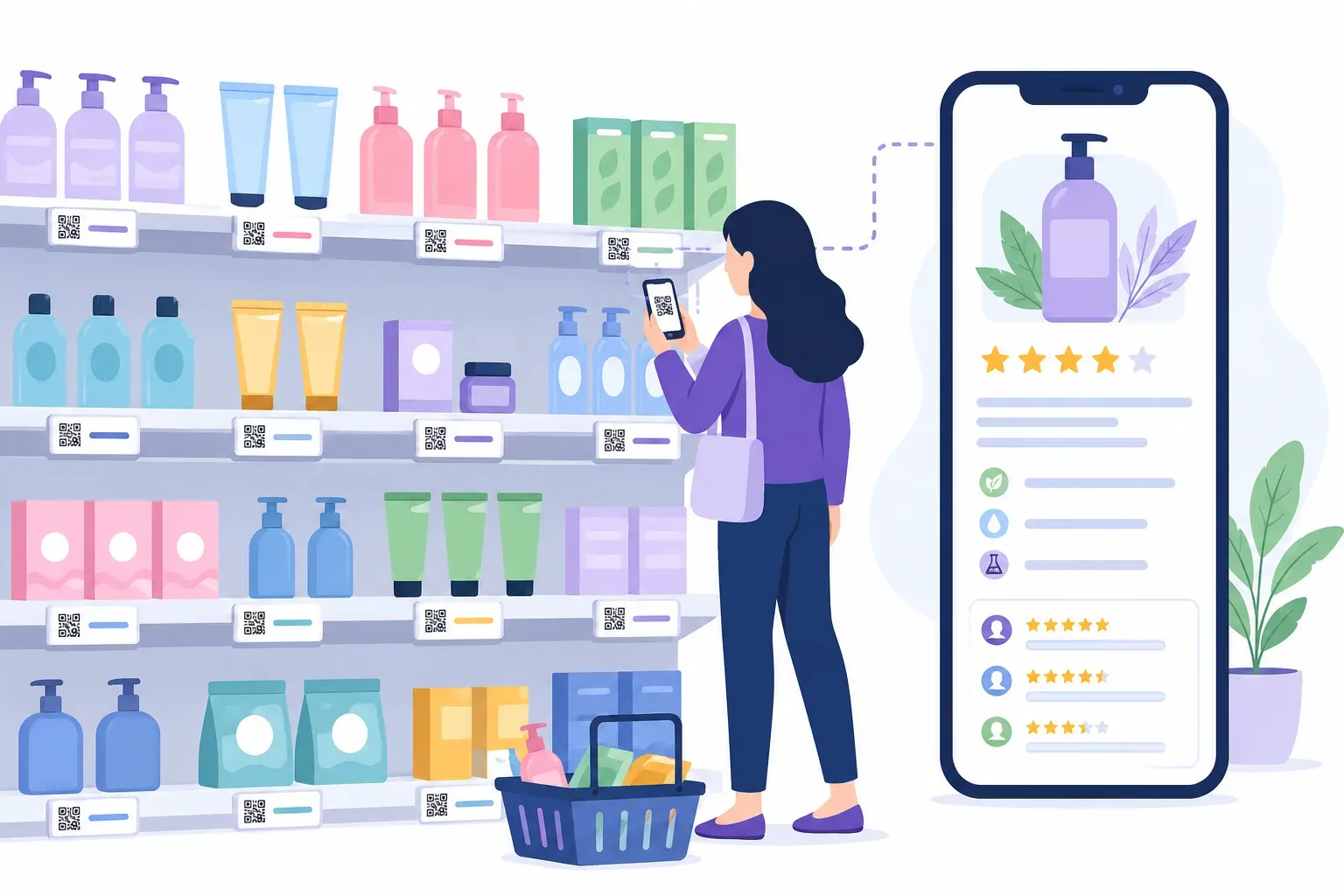
Shelf-edge product details. A small code next to the price tag can link to the full spec sheet, ingredient sourcing, or a 30-second demo video — everything that doesn’t fit on a shelf label. This isn’t a replacement for the price tag; it’s the second layer of information for the shopper who’s genuinely deciding.
Reviews and social proof. Shoppers check reviews on their phones in your aisles whether you like it or not. A code labeled “See 4.8★ reviews for this item” steers that habit to your own product page instead of a marketplace where your competitors advertise. The same logic powers a QR code for Google reviews at the register, pointed the other direction — turning happy buyers into public proof.
Size guides in fitting rooms. A code on the fitting-room mirror linking to a size chart or “how it fits” photos answers the question shoppers are too shy to shout through a curtain. Fewer abandoned garments on the bench, fewer walkouts over a fixable size issue.
Endless-aisle ordering. When the shelf is empty or the color is out, a “Sold out? Order it here” code linking to that product’s page converts a dead end into an online sale with in-store intent behind it. It’s the cheapest version of the endless-aisle kiosks big-box chains install.
Free WiFi for shoppers. A WiFi QR code near the entrance connects phones without anyone typing a password. Connected shoppers browse longer, load your product pages faster, and scan your other codes without cellular dead-zone frustration.
Back-in-stock signups. For genuinely popular items, a code linking to a “notify me” form captures demand you’d otherwise lose — an email address in exchange for a restock alert is a fair trade both ways.
QR Codes on Product Packaging
Packaging space is finite; curiosity isn’t. A code on the label extends the package onto a screen, and it travels home with the customer — which means it keeps working weeks after the sale.
Ingredients and origin story. Full ingredient lists, allergen details, sourcing maps, the story of the farm or workshop behind the product. Shoppers who care about this stuff care a lot, and a scannable deep-dive is cheaper than redesigning the label.
How-to and care instructions. Setup videos, recipes, washing instructions, assembly guides. Every support ticket that a two-minute video prevents is margin saved — and the customer gets an answer at 9 p.m. when your inbox is closed.
Recycling and disposal info. Which parts go in which bin varies by region, so a link beats printing a guess. It also signals that the sustainability claims on the front of the pack survive a closer look.
Reorder links. For consumables — coffee, supplements, skincare — a “Scan to reorder” code on the packaging is the shortest possible path from empty jar to repeat purchase. The customer is holding the product name, size, and variant in their hand; the code carries all of it into the cart.
Warranty registration. A code linking to a registration form gets filled out at the kitchen table during unboxing, which is the only moment anyone has ever willingly registered a warranty.
One trend worth knowing about: GS1, the organization behind retail barcodes, is steering the industry toward 2D codes that can be read both at checkout and by shoppers’ phones, and the EU’s Digital Product Passport rules will gradually require certain categories — batteries first, textiles and others to follow — to make product data digitally accessible. None of this obligates a small retailer today, but it does mean a QR code on packaging is aligned with where product labeling is heading, not a gimmick bolted onto it.
QR Codes for E-Commerce and Package Inserts
Online retail has no shelf edge, but it has something better: a cardboard box that arrives at a moment of peak goodwill.
Package inserts. A printed card in the box is the classic e-commerce QR play, and it works because the timing is perfect — the customer just got something they wanted. Point the code at a review request, a 10%-off reorder offer, or a “complete the set” cross-sell page. One card, one code, one clear job. Our guide to collecting feedback with QR codes covers how to phrase the ask so people actually follow through.
Returns instructions. A code on the packing slip linking to your returns portal saves the “how do I return this?” email — and a smooth return is quietly one of the strongest repeat-purchase drivers in e-commerce.
Unboxing to social. If your packaging is photogenic, a code inviting customers to tag you — “Share your unboxing @yourbrand” — lowers the friction between a nice moment and a public post. Not every product earns this; when it fits, it’s free advertising.
Because every insert is printed anyway, the marginal cost of the code is zero. The real decision is which offer goes on which card — match the destination to the moment, one job per code.
QR Codes and Payments: What They Can and Can’t Do
Here’s the part most articles fudge, so let’s be precise. Scan-to-pay QR codes — the kind that settle a transaction — are generated by the payment processor: PayPal, Venmo, Square, your bank’s app, your POS system. Those codes encode payment instructions in the processor’s own format, and only the processor can issue them.
What a general-purpose generator like QRocket can do is encode a payment link — your paypal.me address, a Venmo profile URL, a hosted checkout page. Scanning opens that page in the browser, where the customer completes payment with the provider. For a market stall taking tips or a small shop offering an alternative to the card reader, that’s often all you need. Just be clear about the distinction: QRocket makes the signpost, not the till.
If you want true integrated QR payments, generate the code inside your payment provider’s dashboard, then use QRocket for everything around it — the menu of codes above covers plenty of ground before money changes hands.
Light Operations: QR Codes Behind the Counter
Not every retail code faces the customer. A few unglamorous placements pay for themselves fast:
- Shelf and stockroom labels linking to the product’s internal inventory sheet, so a floor associate checks stock without walking to the back.
- Equipment SOPs. A code on the espresso machine or label printer linking to the cleaning procedure or troubleshooting doc.
- Staff onboarding. Codes on the break-room wall linking to the training checklist or rota.
These are plain URL codes pointed at a Google Doc or internal page. QRocket doesn’t do enterprise inventory tracking — supply-chain-grade systems use their own coded labels — but for a shop with one stockroom, a laminated code beats a binder.
Getting Started: A Retail QR Checklist
Resist the urge to launch ten placements at once. One good code that you can evaluate beats ten orphans.
- Pick one placement with an obvious job. Fitting-room size guide, register review code, or a reorder card in every box — whichever pain point you hear about weekly.
- Build the code in the free QR generator. Choose the URL type, add your brand colors and logo, and keep an eye on the scannability meter as you style. QRocket’s codes are static: no account, no expiry, generated in your browser.
- Add a labeled frame. A bare square gets ignored; “Scan for size guide” gets scanned. Steal wording from these call-to-action examples.
- Tag the URL per location. Static codes don’t have built-in analytics, so append UTM parameters —
?utm_source=fitting-roomversus?utm_source=shelf-a3— and your web analytics will show which placement earns its keep. The full setup is in our guide to tracking QR code scans. - Test on both platforms. Scan with one iPhone and one Android, under store lighting, at the real distance, before anything goes to the printer. Our pre-print testing checklist takes five minutes.
- Print at the right size. At least 2 × 2 cm for arm’s-length shelf codes, larger for anything read from farther away — the QR code size guide has the distance math, and downloading as SVG keeps edges crisp at any print size.
Create QR codes for your retail business — free, no account, they never expire. — Create Your Free QR Code
Run the single placement for a month, read the UTM numbers, then expand to the next one. Retail rewards this kind of iteration: every placement is a tiny experiment with a printed hypothesis. For the broader playbook beyond the shop floor, our guide to QR codes for small business picks up where this one ends.
Frequently Asked Questions
How do retailers use QR codes on packaging?
Packaging codes typically link to full ingredient lists, sourcing and origin stories, how-to or care videos, regional recycling guidance, warranty registration, and reorder pages for consumables. Because packaging goes home with the customer, these codes keep working long after the sale — a reorder code on an empty coffee bag is a repeat purchase waiting to happen.
Can QR codes replace price tags in a store?
Not entirely — shoppers still expect a visible price without pulling out a phone. QR codes work best as the second layer next to the tag: detailed specs, reviews, comparison info, and demo videos that would never fit on a shelf label. Think supplement, not substitute.
Can I accept payments with a QRocket QR code?
Not directly. True scan-to-pay codes are issued by payment processors like PayPal, Venmo, or Square through their own apps. QRocket can encode a payment link — such as a paypal.me URL or hosted checkout page — that opens in the browser for the customer to pay through the provider. QRocket is a code generator, not a payment provider.
How do I know which retail QR placement gets the most scans?
Static QR codes have no built-in analytics, so add UTM parameters to each placement’s URL — for example ?utm_source=fitting-room on one code and ?utm_source=shelf on another. Your website analytics will then report visits per placement, telling you which locations earn scans and which need a better label or position.
Do QR codes on packaging expire?
Static codes never expire — the URL is encoded permanently in the pattern, so the code works as long as the destination page stays live. That cuts both ways: if you retire the page, printed packaging still points to it, so redirect old URLs rather than deleting them.
What size should an in-store QR code be?
For shelf-edge and counter placements scanned at arm’s length, print at least 2 × 2 cm (about 0.8 × 0.8 in). For posters or window signage scanned from farther away, use roughly one-tenth of the expected scanning distance as the code width. Always test a real print at the real distance before rolling out.
Create a free QR code with custom colors, your logo and print-ready downloads — no sign-up.