QR Codes for Restaurants: Menus, Reviews, WiFi, and More
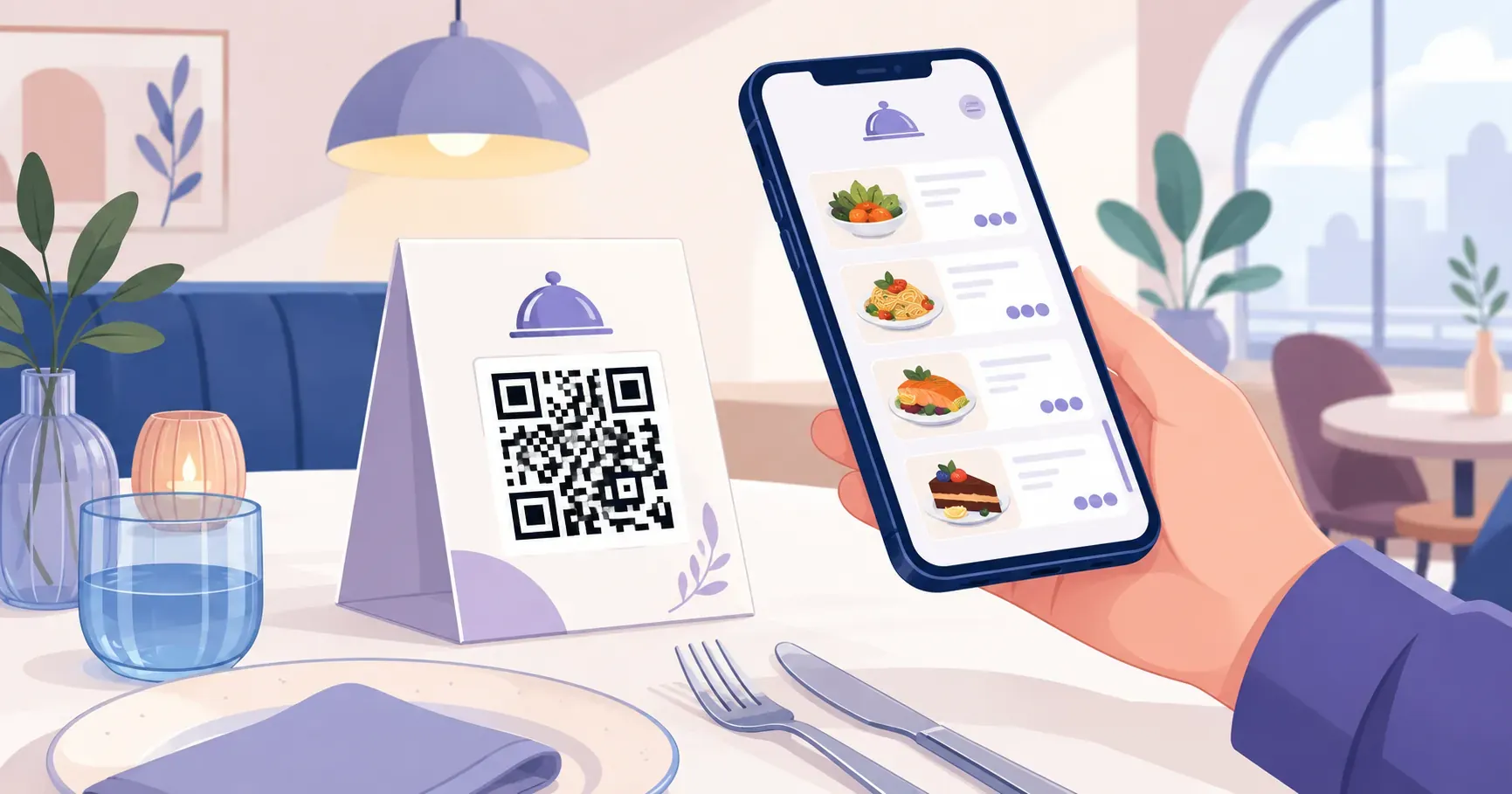
A couple sits down at your restaurant. Before the server even arrives, one of them points their phone at a small card on the table, and the full menu appears on screen — photos, prices, daily specials, everything. No waiting, no sticky laminated pages, no out-of-date pricing. That quick scan is what QR codes for restaurants look like in practice, and it’s just the starting point. From collecting Google reviews to sharing your WiFi password automatically, a single 2 cm square can handle tasks that used to require printed handouts, verbal instructions, or extra staff time. This guide covers every way your restaurant can use QR codes — menus, guest WiFi, review collection, ordering, payments, and smart placement — so you can pick the ones that fit your operation and set them up today with QRocket.
Why QR Codes for Restaurants Are Worth the Setup
A pizza shop in a busy downtown block prints 200 menus per month. At roughly $0.50 each for color copies, that’s $1,200 a year just to keep menus on tables — more when seasonal items force a reprint. One restaurant QR code linking to a digital menu cuts that recurring cost to near zero.
But cost savings are only part of the picture. Here’s what makes QR codes for restaurants practical across every type of dining operation:
- Speed of updates. Change a price, remove a sold-out dish, or add a lunch special. The linked menu updates instantly — no reprinting, no crossed-out items.
- Hygiene. Shared physical menus pass between dozens of hands each day. A QR code on a wipeable table tent eliminates that touchpoint entirely.
- Multilingual access. Link to a web menu with a language toggle, and international guests read your menu in their preferred language without you printing 4 different versions.
- Data collection. When guests scan a QR code that routes through a trackable link, you see which tables scan most, what time traffic peaks, and whether takeout customers engage differently than dine-in guests.
Quick-service spots, fine dining rooms, food trucks, and cafes all benefit differently, but the pattern holds: a restaurant QR code replaces a physical process with a faster digital one.
QR Code Menus: PDF or Web Page?
Most restaurant owners hit the same fork in the road when setting up a restaurant QR code menu: should the code link to a PDF of the existing menu, or to a web-based menu hosted online? Both work, but they serve different needs.
PDF menus are the fastest option. If you already have a designed menu in PDF format, you can generate a QR code for that PDF in under a minute. The guest scans and sees your exact menu layout. The downside: PDFs don’t resize well on small phone screens, and updating them means uploading a new file.
Web-based menus take more setup but pay off over time. A simple one-page website or a hosted menu on a platform like Square, Toast, or a free Google Site gives you a mobile-friendly layout that loads quickly on any device. You edit it live, and every scan instantly reflects the change.
| Feature | PDF Menu | Web Menu |
|---|---|---|
| Setup time | 2 minutes | 30–60 minutes |
| Mobile readability | Requires pinch-to-zoom | Fully responsive |
| Update speed | Re-upload file | Edit live |
| Cost | Free | Free to low-cost |
| Design control | Full (your layout) | Template-dependent |
For a digital menu QR code that stays useful long-term, web-based menus are the stronger choice. For a quick launch this weekend, a PDF gets the job done.
Create a free QR code menu for your restaurant with QRocket — Create Your Free QR Code
Updating Prices Without Reprinting a Single Code
Here’s the workflow that keeps a free static code useful for years. Host your menu at a stable web address you control — yourrestaurant.com/menu or a fixed file path — and generate the code from that URL. When prices change or the soup of the day sells out, update the page or replace the file behind that same address. Every table tent, window sticker, and receipt keeps working, because the code never changed; only the content behind it did.
That’s the subscription-free alternative to a dynamic code. A dynamic code from a paid redirect service also lets you swap destinations after printing, which is worth it if you expect to change the whole host or need scan analytics. But for the everyday job of tweaking prices and specials, a stable URL plus a free static code does the same job at no monthly cost.
WiFi QR Codes for Guest Access
“What’s the WiFi password?” is the most repeated question in hospitality. Staff answer it dozens of times per shift, guests mistype long passwords, and some give up entirely. A WiFi QR code solves this in one scan.
When a guest scans a WiFi QR code, their phone automatically connects to your network — no typing required. The code stores your network name (SSID), password, and encryption type directly, so it works even without internet access at the moment of scanning.
Setup takes about 60 seconds:
- Open QRocket’s free generator and select the WiFi type.
- Enter your guest network name, password, and security type (WPA2 is standard for most routers).
- Download the QR code and print it on table tents, the front counter, or a wall sign near the entrance.
Key takeaway: Always use a separate guest network rather than sharing your business network credentials. Most routers support a guest SSID that isolates visitor traffic from your POS system and internal devices.
A cafe that prints the WiFi QR code on every receipt gives customers a reason to flip the paper over. A sit-down restaurant might place it on the same table tent as the menu code — two codes, one card, zero questions for your staff.
QR Codes for Google Reviews
A restaurant with 150 Google reviews and a 4.5-star average will almost always outrank a competitor with 30 reviews at the same rating. Reviews drive local search visibility, and the biggest barrier to collecting them is friction — most happy diners simply forget.
A QR code that links directly to your Google review page removes that friction. The guest scans, the review form opens, and they write while the experience is still fresh. No searching for your business, no navigating menus inside Google Maps.
How to get your direct review link:
- Search for your restaurant on Google.
- Click “Ask for reviews” in your Google Business Profile dashboard.
- Copy the short URL provided.
- Paste it into a URL QR code generator.
Place the review QR code on receipts, on a small card delivered with the check, or on a “Thank you” sign near the exit. Timing matters — asking after a good meal converts better than asking at the door.
Some restaurants print a simple line above the code: “Enjoyed your meal? Leave us a quick review.” That single sentence, paired with a 1-second scan, can double your monthly review count compared to relying on organic submissions alone. For the full link-and-generate walkthrough, see our guide to a QR code for Google reviews.
QR Codes for Ordering and Payment
Picture a busy brunch service: 15 tables, 2 servers, and a 40-minute wait for food because taking orders by hand creates a bottleneck. QR code ordering shifts that workflow entirely.
With a QR code linked to an online ordering platform, guests browse the menu, select items, and submit their order directly from the table. The kitchen receives it instantly — no server trip needed for the initial order. Staff focus on delivering food, answering questions, and providing hospitality rather than scribbling on pads.
Ordering and payment QR codes typically connect to:
- POS-integrated platforms like Square, Toast, or Clover that sync orders to your existing system
- Standalone ordering pages built on tools like Gloria Food or a custom web app
- Payment links through Stripe, PayPal, or Venmo that let guests pay their share without waiting for a check
The key to making this work is matching the tool to your operation size. A 10-table bistro might only need a payment link QR code on the check. A 200-seat venue with high turnover benefits from full table-side ordering. For small businesses testing the concept, start with payment QR codes — they require the least setup and give you immediate time savings at close-out.
Contactless payment via QR code also reduces cash handling and speeds up table turns. If your average table turn time drops by even 5 minutes during peak hours, that’s potentially 2–3 extra covers per table across an evening service.
How to Create QR Codes for Restaurants (Free)
Every code in this guide comes from the same short workflow — no design software, no per-table fee. Open the free QR code generator and repeat these steps for each code you need:
- Pick the type. URL for menus, ordering pages, and review links; WiFi for guest access; email or SMS for feedback.
- Paste the content. For a menu, use the stable URL where it lives. For WiFi, enter the guest SSID, password, and encryption. Double-check every character — a typo means a dead scan at the table.
- Match your brand. Set a dark foreground on a light background and, if you like, add your accent color. Keep contrast high so it reads under dim dining-room lighting.
- Download and test. Grab SVG for print and PNG for screens, then scan with an iPhone and an Android before the batch goes to the printer.
Make one code per job — a menu code, a WiFi code, a review code — rather than cramming several actions behind a single square.
Printing and Placing QR Codes for Restaurants
A perfectly generated QR code is worthless if it’s printed too small, placed in bad lighting, or stuck where no one looks.
Size matters. Print your QR code at a minimum of 2 x 2 cm (about 0.8 x 0.8 inches) for close-range scanning — like on a table tent 30 cm from the guest’s phone. For wall signs or window displays scanned from 1–2 meters away, increase to at least 10 x 10 cm. The rule of thumb: the QR code should be roughly 1/10th the expected scanning distance.
Material matters too. Restaurant environments involve spills, condensation, and constant wiping. Use these options for durability:
- Laminated cards — cheap, wipeable, replaceable weekly
- Acrylic table tents — sturdy, professional, easy to clean with sanitizer
- Waterproof vinyl stickers — ideal for outdoor seating, takeout bags, and window placement
- Etched or engraved plaques — premium look for fine dining, lasts years
Placement strategy by location:
| Location | Best QR Code Use | Why It Works |
|---|---|---|
| Table tent | Menu, WiFi, ordering | Guest sees it immediately after sitting |
| Check presenter | Google review, payment | Captures attention at decision moment |
| Front window | Menu preview | Foot traffic can browse before entering |
| Takeout bag | Reorder link, loyalty signup | Drives repeat business at home |
| Restroom sign | WiFi, feedback survey | Captive audience, high scan rates |
Always test your QR codes before printing a batch. Scan each one with at least 2 different phones (iPhone and Android) under the actual lighting conditions of your restaurant. A code that scans fine on your desk may struggle under warm pendant lights at a dimly lit bar.
Infrastructure, Not Novelty
Every restaurant QR code you create with QRocket is free to generate, free to download, and free to print as many times as you need. Start with a menu code and a WiFi code — those two alone eliminate the most common daily friction points for both your staff and your guests. The most effective restaurant setups treat QR codes not as a tech novelty but as infrastructure: small, silent tools doing real work at every table, every shift. Build your first restaurant QR code now and see the difference at tomorrow’s service.
Frequently Asked Questions
How do I create a QR code menu for my restaurant?
Start with your menu in PDF or web format. Open a free QR code generator, paste the menu URL or upload the PDF, and download the code. The entire process takes under 2 minutes, and you can print the code on table tents or counter cards immediately.
Should I use static or dynamic QR codes for my menu?
Dynamic codes are the better choice for menus. They let you update the linked menu — changing prices, adding seasonal items, or switching to a new hosting platform — without reprinting any physical materials. Static codes lock in the URL permanently.
Where should I place QR codes in my restaurant?
The four highest-impact spots are table tents (for menus and ordering), check presenters (for reviews and payment), the front window (for passersby previewing the menu), and takeout packaging (for reorder links). Match each placement to a specific guest action for the best results.
How do I update my menu without reprinting QR codes?
Keep the menu URL stable and change what lives behind it. Replace the hosted PDF or edit the web page, and every printed code keeps pointing to the current version. The trick is to host at an address you control from the start, rather than a link tied to one specific file.
Should the menu be a PDF or a web page?
A PDF launches fastest if you already have a designed menu, but it forces pinch-and-zoom on phones. A web page takes longer to set up yet reads cleanly on any screen and edits live. Choose the web route if your menu changes often, the PDF route for a quick weekend launch.
Do diners still use QR menus?
Yes, when they work well. Fast-loading, phone-readable, clearly labeled codes see steady use, especially at casual and quick-service spots. What diners resent is friction — a tiny code, a dead link, or a PDF they can’t read. Keep a few printed menus on hand for guests who prefer them.
Create a free QR code with custom colors, your logo and print-ready downloads — no sign-up.